






Last Updated: March 9, 2026
Author: Muhammad Imran – Educativz.com
Source: National University of Medical Sciences (NUMS) Official Guidelines
WhatsApp Group: Jobs Updates & Schemes
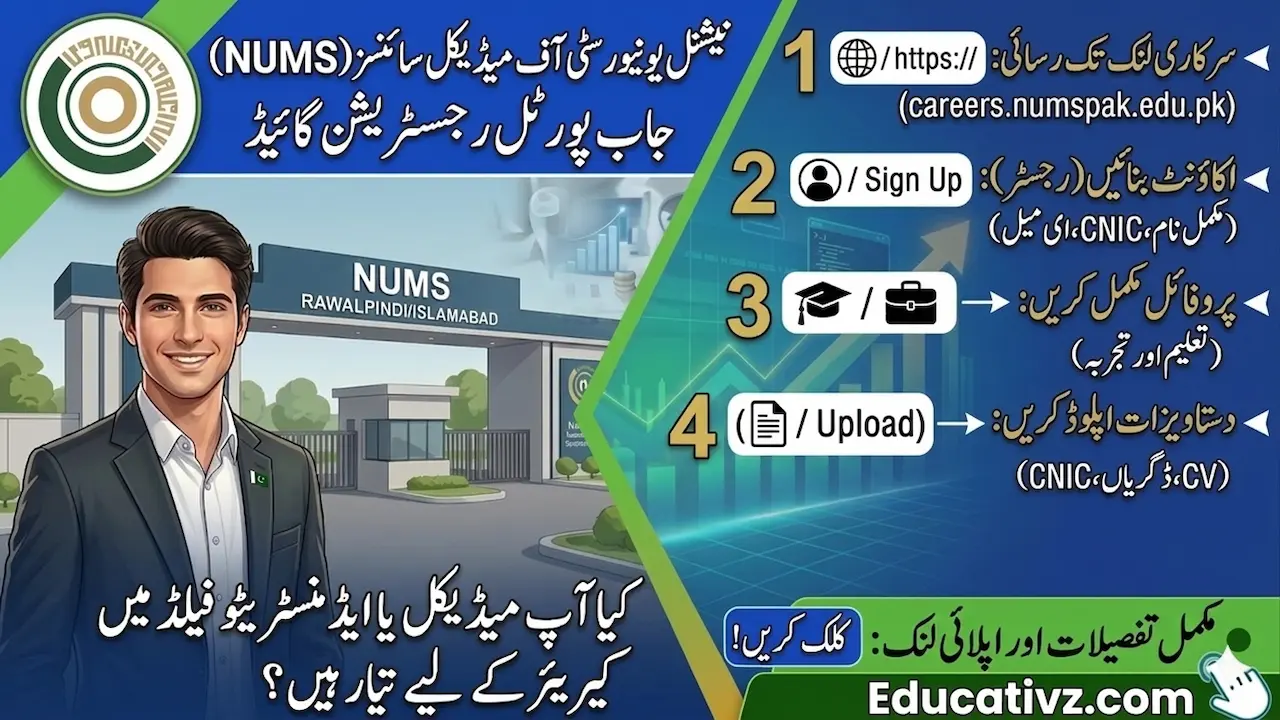
NUMS Job Portal Registration Guide (careers.numspak.edu.pk): National University of Medical Sciences (NUMS) has introduced a centralized Online Job Portal to streamline the recruitment process for Professor, Demonstrator, and Administrative positions in March 2026. To ensure your application is considered, you must register an account and complete your profile with accurate academic and professional details. Manual or hard copy submissions are generally not accepted unless specified.
NUMS Job Portal par apply karne ka sara process ab online ho chuka hai. Bohat se students aur professionals ko account banate waqt “Email Verification” ya “Document Upload” mein masla aata hai. Is guide mein hum aapko step-by-step batayenge ke kaise aap bina kisi galti ke apna form submit kar sakte hain taake aapka selection shortlist mein aa sakay.
👉 Relief Alert: [Prime Minister Ramzan Relief Package 2026: Eligibility Check Online]
📌 Step-by-Step Registration Process on NUMS Career Portal
Follow these instructions carefully to create your account and submit your application:
Step 1: Access the Official Link
Visit the official NUMS recruitment website at http://careers.numspak.edu.pk. Make sure you are using a stable internet connection and a desktop browser for a better experience.
Step 2: Account Creation (Sign Up)
Click on the “Register” button. Enter your full name, a valid CNIC number, and an active email address.
User Guide: Account banate waqt apna wahi email address likhen jo aap rozana check karte hain, kyunke NUMS ki taraf se Test aur Interview ki sari details email par hi aati hain.
Step 3: Profile Completion (The Most Important Part)
Once logged in, fill in your personal information, educational background (starting from Matric to your highest degree), and previous work experience.
User Guide: Profile mein apni “Education” aur “Experience” ko save karna mat bhooliye ga. Agar aap sirf account banayenge aur profile complete nahi karenge, toh aap kisi bhi post par apply nahi kar sakenge.
Step 4: Uploading Scanned Documents
Upload high-quality scanned copies of your CNIC, latest CV/Resume, and all relevant educational degrees or experience certificates.
User Guide: Documents ka size portal ki di gayi limit ke mutabiq rakhen. Agar file ka size bara hoga toh upload error aa sakta hai.
📝 Final Submission & Application Status
After completing your profile through NUMS Job Portal Registration Guide 2026, navigate to the “Available Jobs” section.
-
- Select Post: Choose the specific position (e.g., Demonstrator or Professor) you wish to apply for.
- Review: Double-check all entries before clicking the “Submit” button.
- Application ID: Once submitted, you will receive an application ID. Note it down for future reference.
User Guide: Yaad rakhen ke application status “Submitted” hona chahiye. Agar status “Draft” ya “Incomplete” show ho raha hai, toh iska matlab hai aapka form NUMS tak nahi pohancha.
⚠️ Common Errors and How to Fix Them
- Login Failed: If you forget your password, use the “Forgot Password” link to reset it via your registered email.
- Verification Link Not Received: Check your “Spam” or “Junk” folder if the activation email doesn’t appear in your inbox.
- Slow Loading: Website par load zyada hone ki wajah se error aa sakta hai, is liye aakhri tareekh ka intezar na karein.