
Image Resizer
Free PPSC image resize to 25KB, FPSC to 30KB, NTS & CNIC photo resize online — no software, no upload to server, works 100% in your browser instantly.
How to Resize an Image Online
Image Resize Karne Ka Tarika — آن لائن تصویر کا سائز کیسے تبدیل کریں
اپنی تصویر اپ لوڈ کریں
نئی چوڑائی اور اونچائی ڈالیں
فارمیٹ منتخب کریں
ریسائز تصویر ڈاؤنلوڈ کریں
What is an Image Resizer?
Image Resizer Kya Hota Hai? — تصویر ریسائزر کیا ہے؟
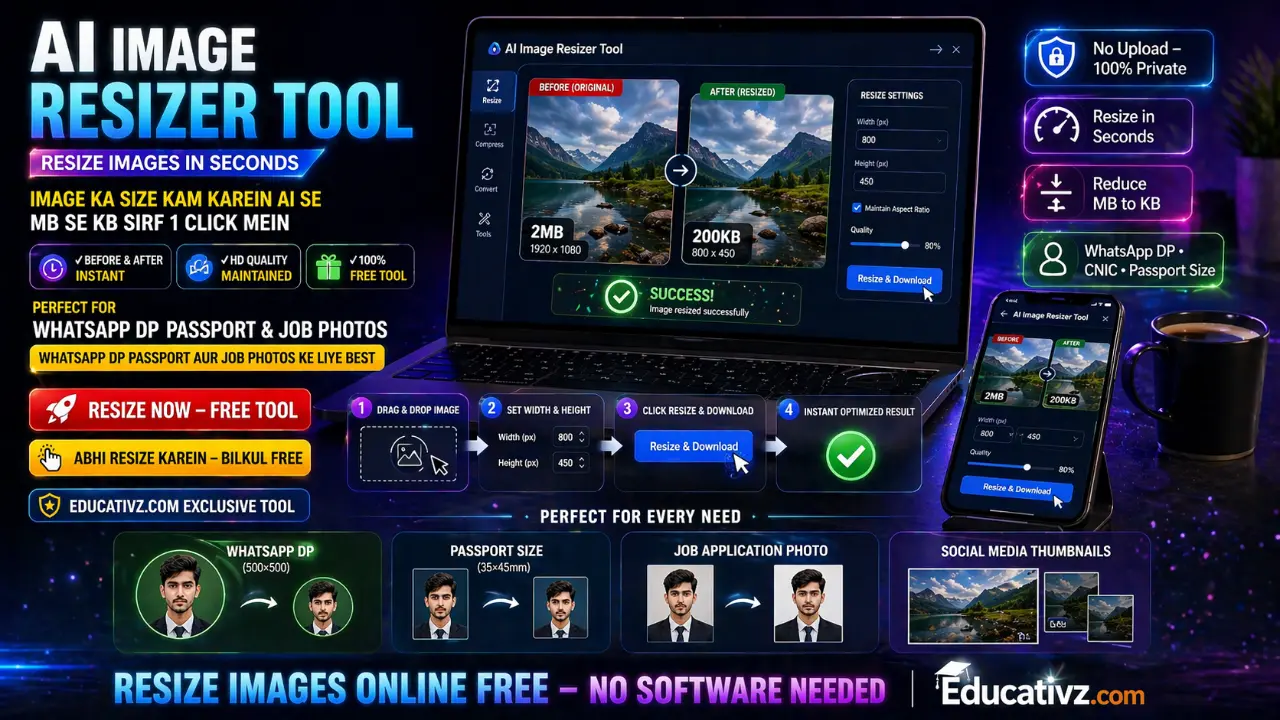
An image resizer is a free online tool that lets you change the width and height of any image in seconds — without installing any software. Whether you want to resize an image for WhatsApp, Facebook, Instagram, your website, or a job application, this tool handles it all instantly.
Our free online image resizer by Educativz.com works entirely in your browser. Your image is never uploaded to any server, making it one of the most secure and private image resize tools available online. It supports all major formats including PNG, JPG, JPEG, WEBP, and GIF.
You can also use it to compress image size in KB by lowering the quality slider when saving as JPG or WEBP — or use the Auto-Fit to KB feature to hit an exact file size automatically, perfect for PPSC, FPSC and other Pakistani government portals that reject oversized photos.
Image resizer ek aisa free online tool hai jo aapko kisi bhi image ki width aur height seconds mein change karne deta hai — bina koi software install kiye. Chahe aap WhatsApp ke liye, Facebook, Instagram, apni website, ya job application ke liye image resize karna chahte ho, yeh tool sab kuch instantly handle karta hai.
Educativz.com ka yeh free online image resize tool poori tarah aapke browser mein kaam karta hai. Aapki image kabhi bhi kisi server pe upload nahi hoti, isliye yeh sabse secure aur private image resize tools mein se ek hai. Yeh PNG, JPG, JPEG, WEBP, aur GIF sab formats support karta hai.
Aap isko image ka size KB mein kam karne ke liye bhi use kar sakte ho — JPG ya WEBP mein save karte waqt quality slider neeche karo, ya Auto-Fit to KB feature use karo taake PPSC, FPSC jaise sarkari forms ki exact KB limit khud-ba-khud hit ho jaye.
امیج ریسائزر ایک مفت آن لائن ٹول ہے جو آپ کو کسی بھی تصویر کی چوڑائی اور اونچائی سیکنڈوں میں تبدیل کرنے دیتا ہے — بغیر کوئی سافٹ ویئر انسٹال کیے۔ چاہے آپ واٹس ایپ، فیس بک، انسٹاگرام، اپنی ویب سائٹ، یا نوکری کی درخواست کے لیے تصویر ریسائز کرنا چاہتے ہوں، یہ ٹول سب فوری طور پر کر دیتا ہے۔
Educativz.com کا یہ مفت آن لائن امیج ریسائز ٹول مکمل طور پر آپ کے براؤزر میں کام کرتا ہے۔ آپ کی تصویر کبھی بھی کسی سرور پر اپ لوڈ نہیں ہوتی، اس لیے یہ سب سے محفوظ اور نجی امیج ریسائز ٹول ہے۔ یہ PNG، JPG، WEBP، اور GIF تمام فارمیٹس سپورٹ کرتا ہے۔
Why Use Educativz Image Resizer?
Kyun Istimal Karein? — کیوں استعمال کریں؟
تصویر سرور پر نہیں جاتی
فوری ریسائز اور ڈاؤنلوڈ
ہر ڈیوائس پر کام کرتا ہے
PNG، JPG، WEBP سپورٹ
تصویر کا تناسب محفوظ رہتا ہے
سرکاری فارم کے لیے خودکار سائز
Common Image Sizes for Social Media
Click any card to instantly apply those dimensions — Social Media ke Liye Image Sizes
PPSC Image Resize Online Free — FPSC, NTS & Govt Job Photo Sizes
Click a card — photo auto-resize + auto-compress ho kar seedha exact KB limit pe ready ho jayegi — PPSC، FPSC، NTS اور دیگر سرکاری فارمز کے لیے
🎯 Resize Image to an Exact KB Size — 20KB, 24KB, 25KB, 30KB
Type your target below and hit "⚡ Auto-Fit to KB" — no manual quality guessing.
Frequently Asked Questions
Aksar Puche Jane Wale Sawalat — اکثر پوچھے جانے والے سوالات
Pakistan Mein Image Resize Karne Ka Tarika — مکمل گائیڈ
PPSC · FPSC · CNIC · Passport Size · Job Application · WhatsApp DP · Facebook · Instagram — سب کچھ ایک جگہ
Pakistan mein image resize karne ka tarika dhundh rahe hain? Aap sahi jagah par hain. Educativz.com ka yeh free online image resizer specifically Pakistan ke users ke liye design kiya gaya hai — jahan internet speed kabhi kabhi slow hoti hai aur log photo ka size KB mein kam karna chahte hain taake easily send ho sake ya PPSC/FPSC jaisi sarkari websites par upload ho sake.
Yeh tool aapke browser mein kaam karta hai — matlab koi image server pe upload nahi hoti, koi data share nahi hota, aur koi registration ki zaroorat nahi. Pakistan mein kisi bhi device se — mobile, tablet, ya laptop — use kar sakte hain.
🇵🇰 PPSC Image Resize — 25KB Photo Guide
PPSC image resize ek bohot common search hai kyunke Punjab Public Service Commission ke online application portal mein photo 25KB se zyada hone par upload nahi hoti. Official PPSC photograph guidelines ke mutabiq photo JPG format mein, passport-style (taqreeban 3.5×4.5cm, ya 413×531 pixels) aur 25KB se kam honi chahiye. Is page par "PPSC" wala card click karo — apni photo upload karo aur system khud-ba-khud sahi dimensions aur 24-25KB ke qareeb file size set kar dega, bina aapko manually quality adjust kiye. PPSC تصویر 25 کلوبائٹس سے کم ہونی چاہیے۔
🏛️ FPSC Photo Size Resize Online
FPSC photo resize ke liye official Guidelines for Online Application Submission ke mutabiq photo JPG/JPEG format mein aur 30KB se kam honi chahiye — koi strict pixel dimension nahi batayi gayi, bas ek recent passport-style tasveer honi chahiye. FPSC preset card click karo aur automatic 30KB se kam photo download karo۔
🪪 CNIC Photo Resize Online Pakistan
Pakistan mein CNIC photo resize online karna ek common zaroorat hai — NADRA forms, bank accounts, aur sarkari dastavezon ke liye. Is tool se aap apni CNIC ya ID card ki photo ko required size mein seconds mein resize kar sakte hain. تصویر چھوٹی کرنے کا طریقہ bilkul simple hai — upload karo, size likho, download karo.
📷 Passport Size Photo Resize Online Free
Passport size photo resize online free — Pakistan mein passport, visa applications, aur identity documents ke liye standard size 35×45mm hota hai, jo pixels mein 413×531 (300 DPI) hota hai. Online passport renewal (DGIP/NADRA MRP) ke liye size 20KB se kam aur 350×467 pixels chahiye hota hai. Bas yeh dimensions enter karo aur JPG mein download karo. Studio jaane ki zaroorat nahi — passport size photo ghar pe hi banao bilkul free۔ پاسپورٹ سائز فوٹو آن لائن مفت بنائیں۔
💼 Job Application Photo Resize Online
Pakistan mein government jobs (FPSC, PPSC, NTS, OTS) aur private jobs ke liye job application photo resize online karna padta hai. Har form ka alag size hota hai — koi 200×200 mangta hai, koi passport size, koi exact KB limit. Is tool mein aap koi bhi size ya KB target set kar sakte hain — job application ke liye photo resize bilkul free۔ نوکری کی درخواست کے لیے تصویر مفت ریسائز کریں۔
📱 WhatsApp DP Resize — واٹس ایپ ڈی پی
WhatsApp DP ke liye photo resize karna chahte hain? Perfect square size 500×500 pixels hai. Upar WhatsApp preset card click karein — automatically set ho jaye ga. واٹس ایپ ڈی پی کے لیے تصویر seconds mein taiyar — bilkul free, koi app download kiye baghair.
📉 Photo MB se KB Karna — تصویر کا سائز KB میں کم کریں
Pakistan mein slow internet ya limited data pe photo MB se KB karna bohot zaroori ho jata hai. JPG ya WEBP format select karo aur quality slider 60–70% par rakho — ek 3MB photo asaani se 150–200KB ho jati hai, ya "Auto-Fit to KB" se seedha 24KB tak. Image ka size KB mein kam karna email attachments, WhatsApp, PPSC/FPSC forms, aur online forms ke liye perfect solution hai۔ تصویر کا سائز کم کریں — MB سے KB۔