Last Updated: 24 October 2026
Author: Muhammad Imran – Educativz.com
Source: Official portal: pmychromebooks.ibcc.edu.pk (IBCC)
WhatsApp Group & Channel: Channel & Group
⚡ Quick answer: Open pmychromebooks.ibcc.edu.pk, pick your board, enter your CNIC / B-Form, roll or registration number and date of birth, click Find my record, check your details, upload 4 documents (each up to 300 KB), submit and download your reference slip. Only top-performing students of government/public schools (Annual Exams 2026) are considered. The portal shows no single last date, so ask your board.
📑 In this guide
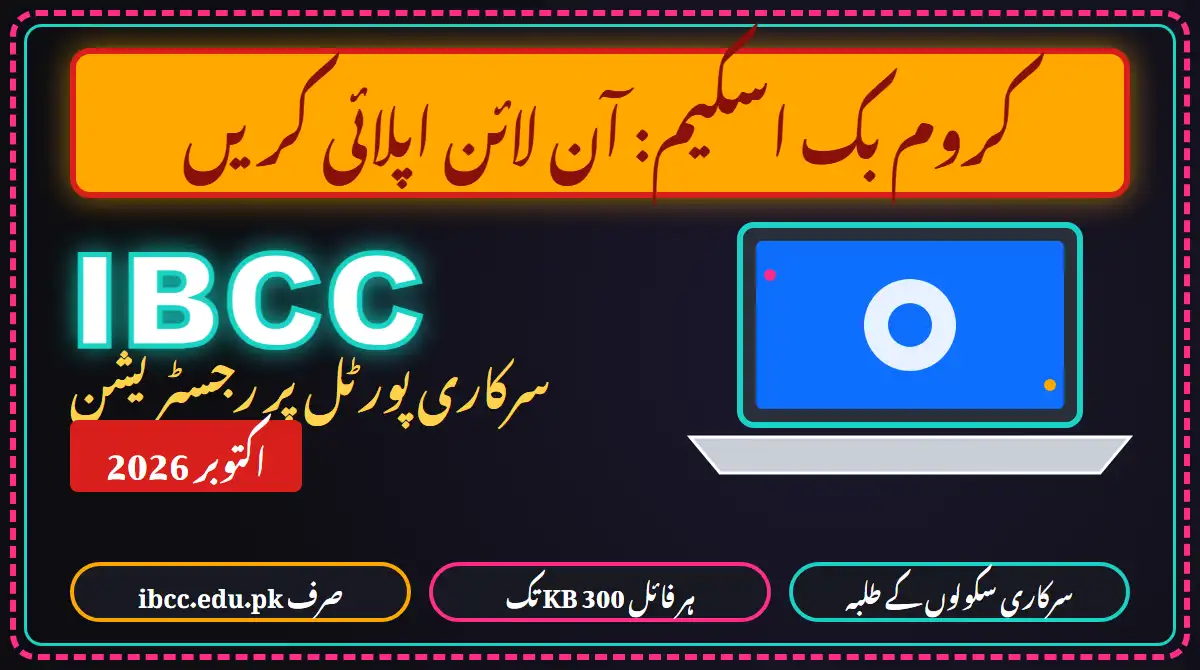
Many students are asking how to apply for the PM Youth Chromebook Scheme in October 2026. The official application page is run by the Inter Boards Coordination Commission (IBCC), Ministry of Federal Education, at pmychromebooks.ibcc.edu.pk. We opened it on 24 October 2026, read every section, and took the screenshots below. We did not enter any CNIC, B-Form or date of birth and did not submit anything, so the screens that appear after “Find my record” are described from the portal’s own instructions, not from our own use. Other guides (for example ProPakistani) cover the basics; this guide adds a board-by-board table, a file-size cheat-sheet, a mistakes list and what to do if your record is missing.
📌 Looking for the big news? The programme’s 500,000 Chromebooks announcement and the 500,000 vs 700,000 figures are explained here: PM Youth Programme 500,000 Chromebooks: what is confirmed. This page is only the how-to-apply guide.
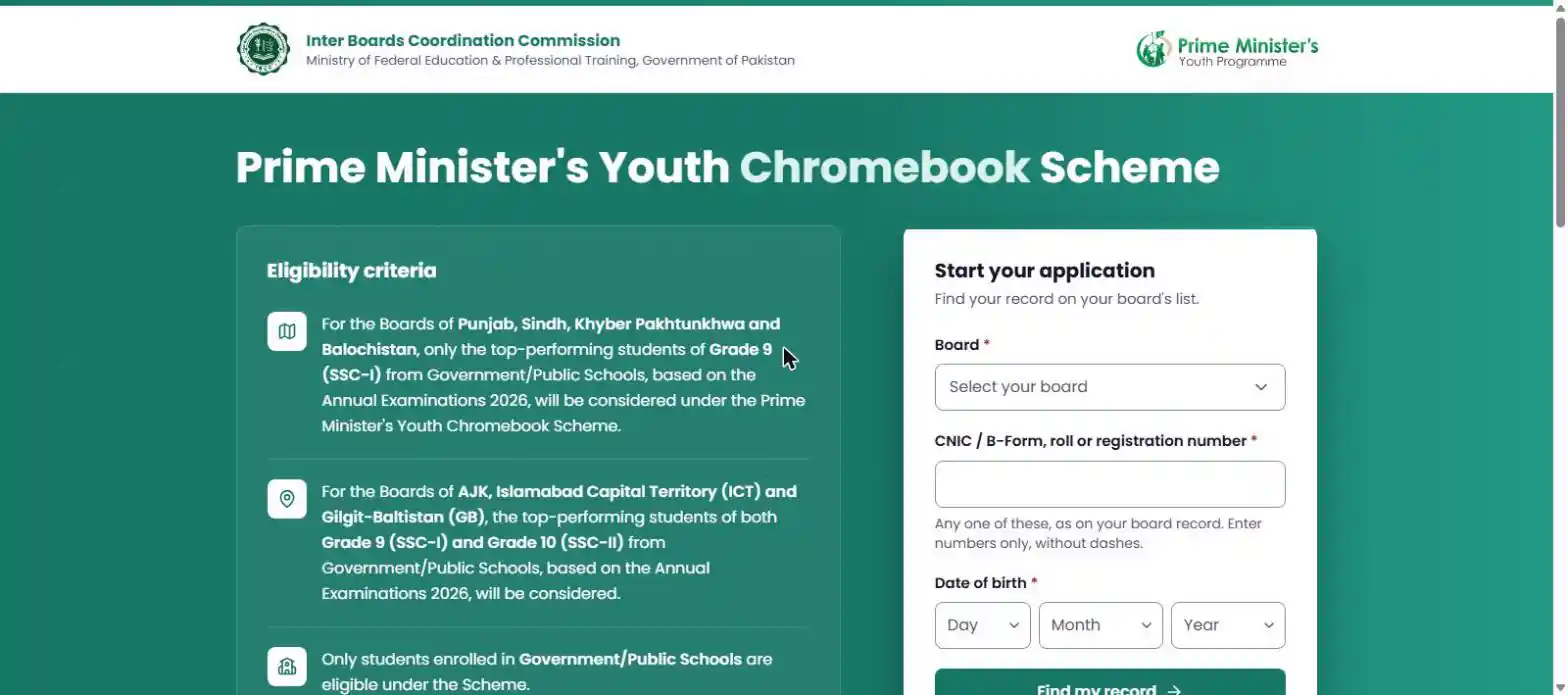
✅ Who Can Apply (as shown on the official portal)
- ✅ Punjab, Sindh, Khyber Pakhtunkhwa and Balochistan boards: only top-performing students of Grade 9 (SSC-I) from Government/Public Schools, based on the Annual Examinations 2026.
- ✅ AJK, Islamabad Capital Territory (ICT) and Gilgit-Baltistan boards: top-performing students of both Grade 9 (SSC-I) and Grade 10 (SSC-II) from Government/Public Schools, Annual Examinations 2026.
- ✅ Private school students: not eligible. The portal says only students enrolled in Government/Public Schools are eligible.
- ✅ Your name must be on your board’s list. The portal says your details are checked against the list your board sent. You cannot apply for yourself if your board did not send you.
What “top-performing” means is not defined on the portal. There is no official marks cutoff there. A ProPakistani report on BISE Peshawar says figures of 424 (Science) and 315 (Arts) circulated, but also says the board’s own notification does not set them as universal cutoffs. Treat those numbers as unverified.
🏫 Board-by-Board Table (the 20 boards in the portal dropdown)
When you open Select your board, the list is grouped by province. This is exactly what the dropdown showed on 24 October 2026:
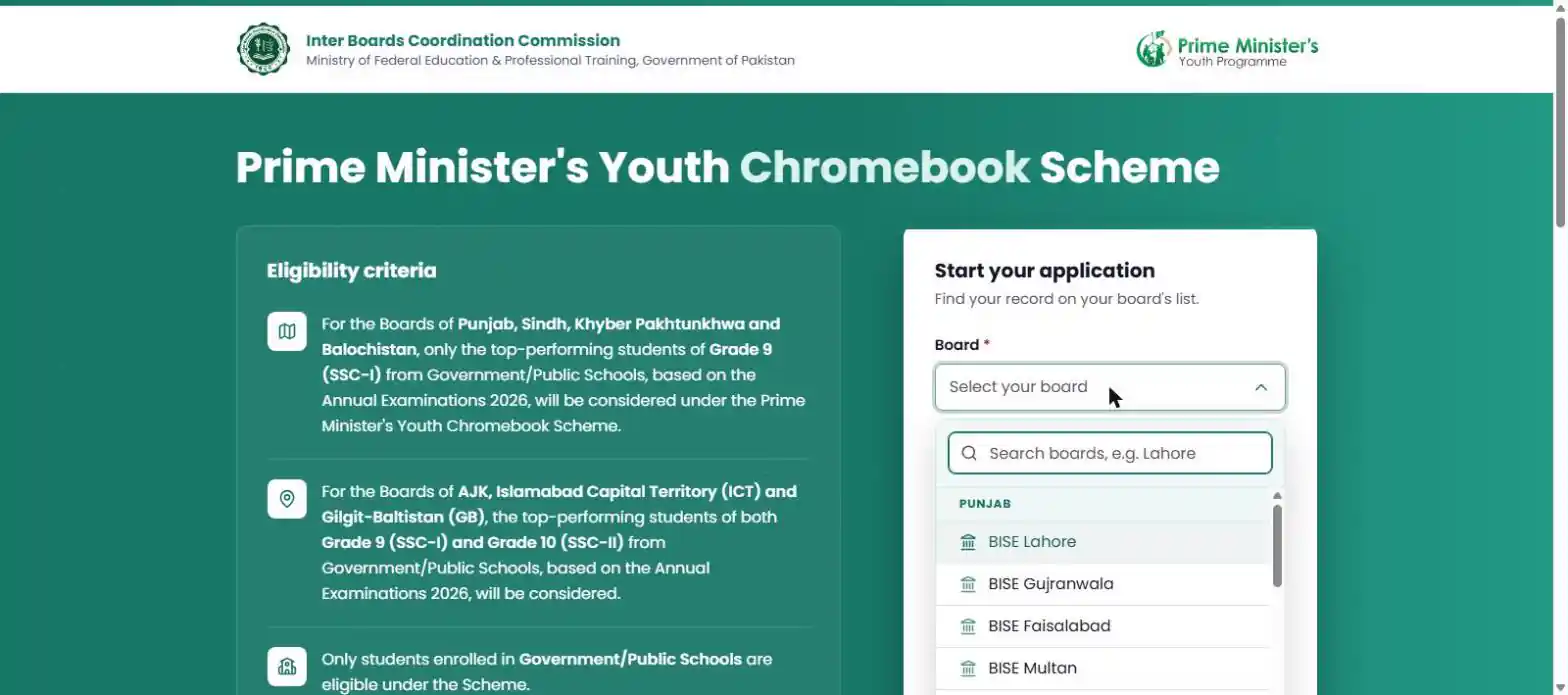
| Province / region | Board in dropdown | Grades considered (portal text) |
|---|---|---|
| Punjab | BISE Lahore | Grade 9 (SSC-I) |
| Punjab | BISE Gujranwala | Grade 9 (SSC-I) |
| Punjab | BISE Faisalabad | Grade 9 (SSC-I) |
| Punjab | BISE Multan | Grade 9 (SSC-I) |
| Punjab | BISE Rawalpindi | Grade 9 (SSC-I) |
| Punjab | BISE Sargodha | Grade 9 (SSC-I) |
| Punjab | BISE Bahawalpur | Grade 9 (SSC-I) |
| Punjab | BISE D.G. Khan | Grade 9 (SSC-I) |
| Punjab | BISE Sahiwal | Grade 9 (SSC-I) |
| Khyber Pakhtunkhwa | BISE Peshawar | Grade 9 (SSC-I) |
| Khyber Pakhtunkhwa | BISE Mardan | Grade 9 (SSC-I) |
| Khyber Pakhtunkhwa | BISE Swat | Grade 9 (SSC-I) |
| Khyber Pakhtunkhwa | BISE Malakand | Grade 9 (SSC-I) |
| Khyber Pakhtunkhwa | BISE Abbottabad | Grade 9 (SSC-I) |
| Khyber Pakhtunkhwa | BISE Bannu | Grade 9 (SSC-I) |
| Khyber Pakhtunkhwa | BISE D.I. Khan | Grade 9 (SSC-I) |
| Khyber Pakhtunkhwa | BISE Kohat | Grade 9 (SSC-I) |
| Balochistan | BBISE Quetta | Grade 9 (SSC-I) |
| Azad Jammu & Kashmir | AJK BISE Mirpur | Grade 9 (SSC-I) and Grade 10 (SSC-II) |
| Islamabad (ICT) | FBISE Islamabad | Grade 9 (SSC-I) and Grade 10 (SSC-II) |
| Sindh | No Sindh board in the dropdown on 24 Oct 2026 | Criteria text names Sindh (Grade 9). Ask your board. |
| Gilgit-Baltistan | No GB board in the dropdown on 24 Oct 2026 | Criteria text names GB (Grade 9 and 10). Ask your board. |
Sindh and Gilgit-Baltistan gap: the eligibility text names Sindh and Gilgit-Baltistan, but on 24 October 2026 no Sindh board and no Gilgit-Baltistan board appeared in the dropdown. We do not know why (boards may not have sent their lists yet). If you are from Sindh or GB, do not rely on social media posts; ask your board and school, and check the portal again later.
📝 Step-by-Step: How to Apply
The portal’s own “How it works” panel has four stages. Here they are with the exact field names we saw:
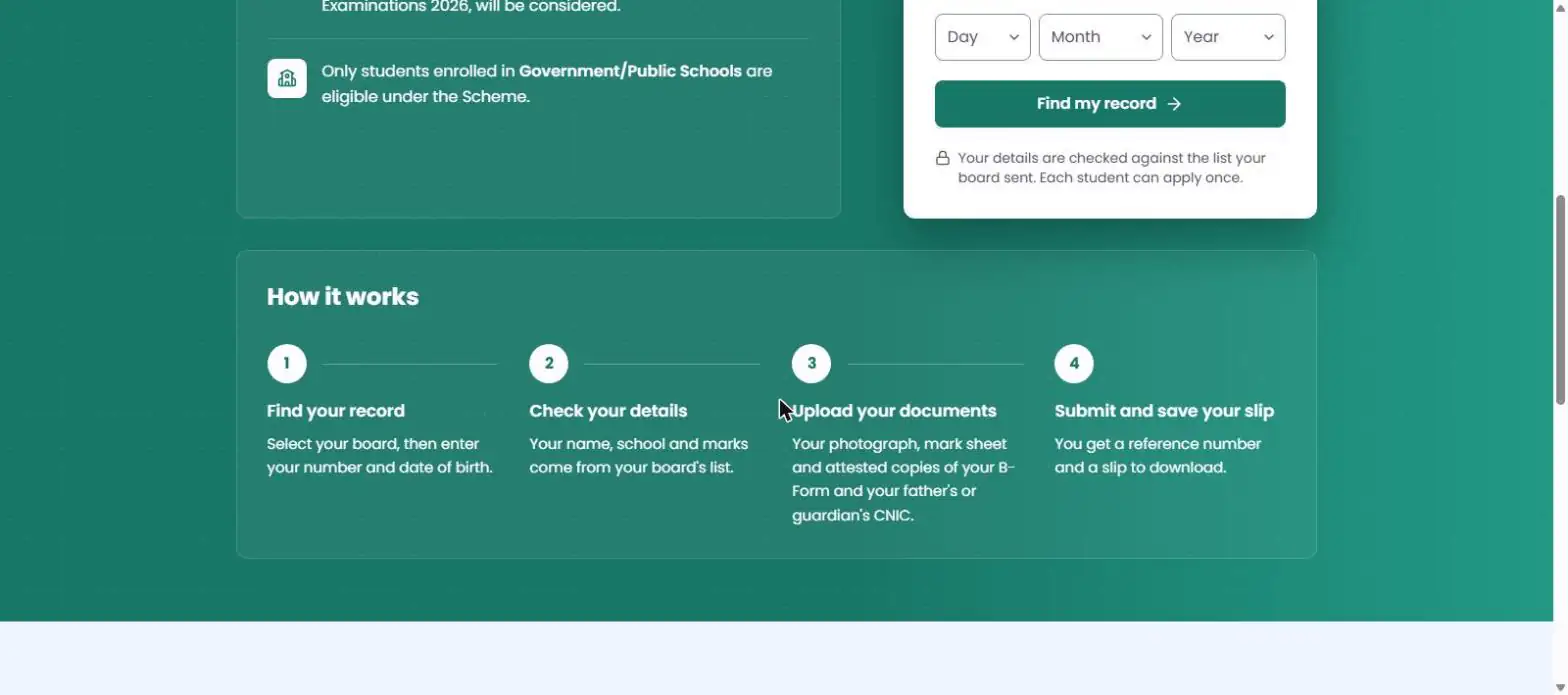
Open the official portal by typing pmychromebooks.ibcc.edu.pk in your browser address bar (do not click links from WhatsApp or Facebook).
Select your board in the “Board” dropdown (you can type a city name such as “Lahore” in the search box). Choose the board that held your SSC-I / SSC-II exam.
Enter ONE number: CNIC/B-Form, roll number or registration number, numbers only, no dashes, exactly as on your board record.
Choose your date of birth (Day, Month, Year dropdowns), exactly as on your board record.
Click “Find my record”. The portal checks you against the list your board sent.
Check your details. Per the portal, your name, school and marks come from your board’s list. If anything is wrong, stop and contact your board (see the record-not-found section below).
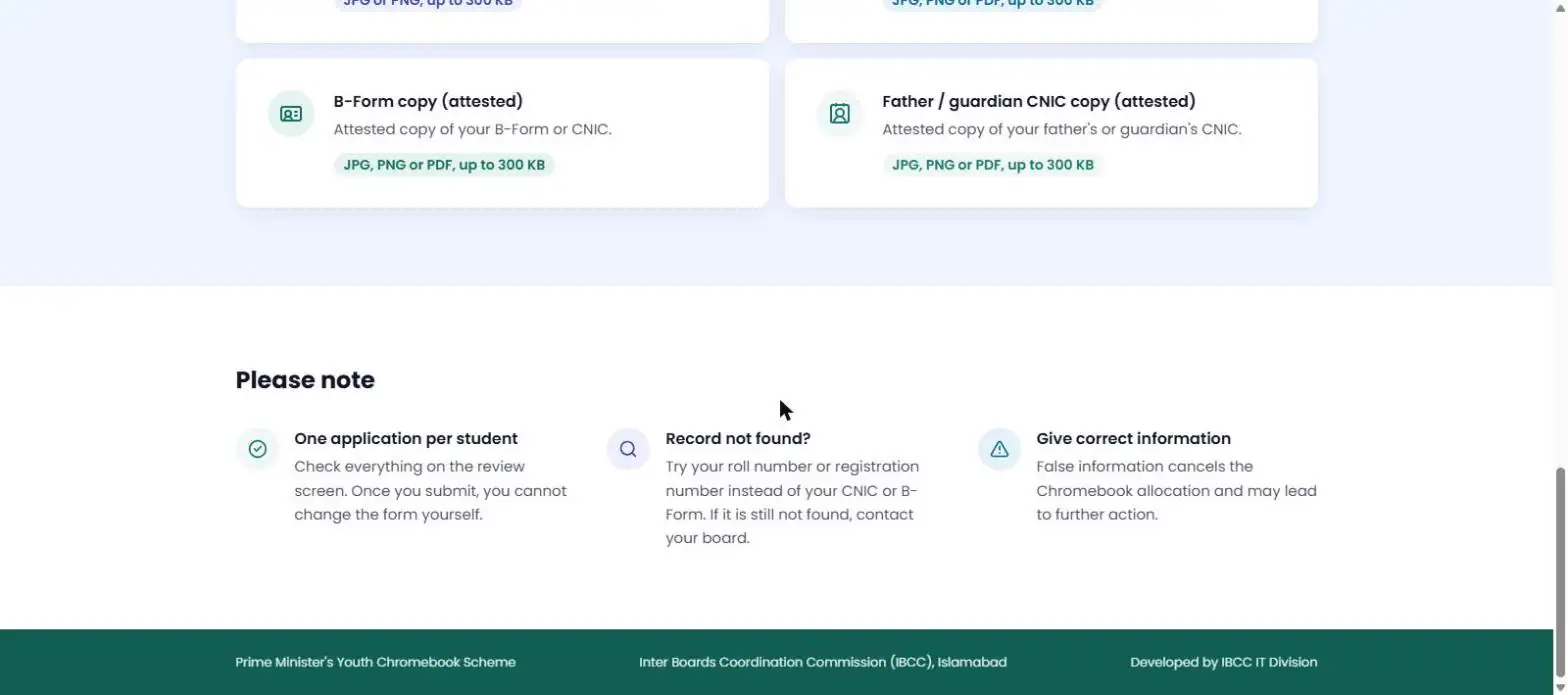
Upload your documents: photograph, mark sheet, attested B-Form/CNIC copy and attested father/guardian CNIC copy, each up to 300 KB.
Review, then submit. Once you submit you cannot change the form yourself. You then get a reference number and a slip to download: save the slip as PDF/photo and keep it safe.
Note: steps 6 to 8 follow the portal’s own description. We stopped at the search form because it needs real student data.
📎 Documents You Need
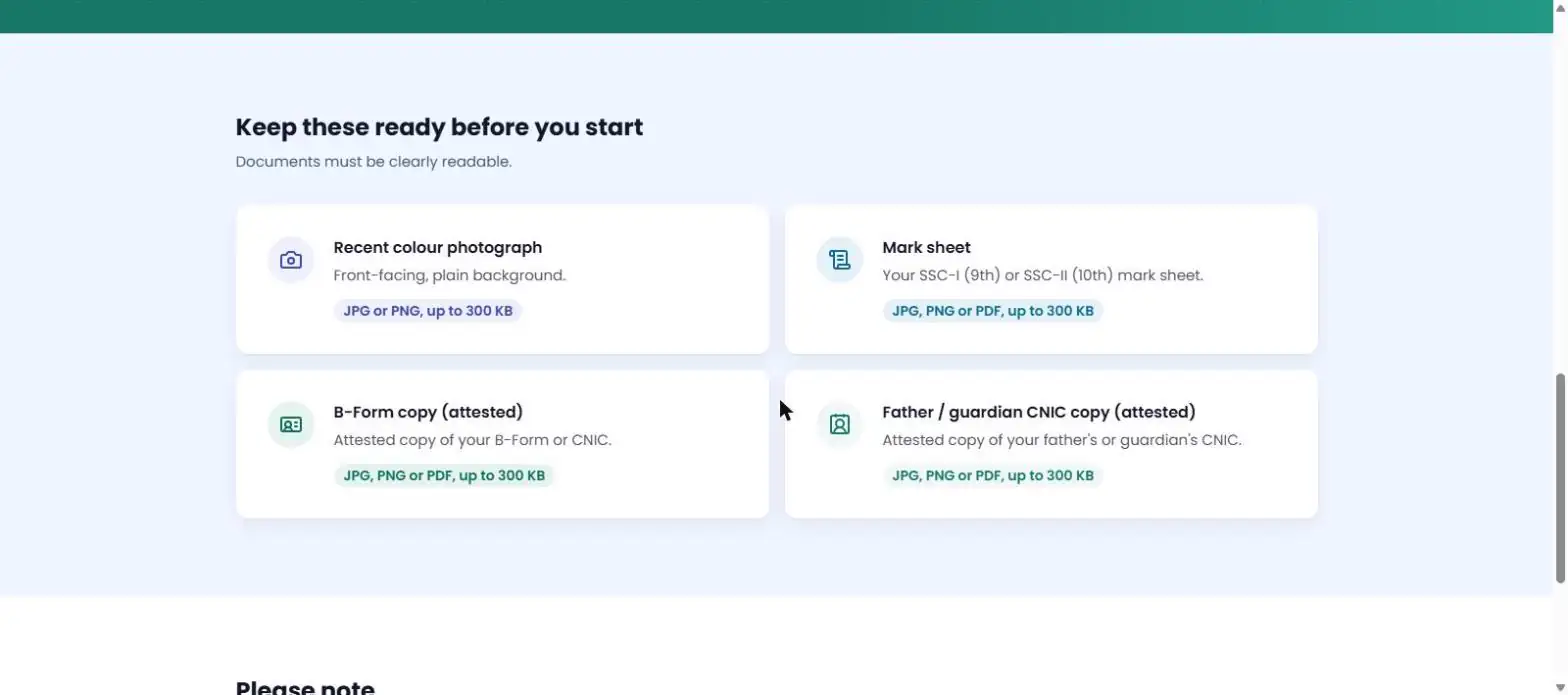
| Document | Allowed formats | Size limit | Notes from the portal |
|---|---|---|---|
| Recent colour photograph | JPG or PNG | Up to 300 KB | Front-facing, plain background |
| Mark sheet | JPG, PNG or PDF | Up to 300 KB | Your SSC-I (9th) or SSC-II (10th) mark sheet |
| B-Form copy (attested) | JPG, PNG or PDF | Up to 300 KB | Attested copy of your B-Form or CNIC |
| Father / guardian CNIC (attested) | JPG, PNG or PDF | Up to 300 KB | Attested copy of your father’s or guardian’s CNIC |
Guardian reminder: the fourth document is the father’s or guardian’s CNIC, attested. If your father is not alive or not available, use your legal guardian’s CNIC and ask your school which attestation they accept. The portal does not explain who may attest, so ask your principal before the day you apply.
📏 How to Get Every File Under 300 KB
Phone photos are often 2 to 5 MB, far above the 300 KB limit. The portal gives no pixel size, only a file-size limit and “clearly readable”. These are our practical tips, not official rules:
| File | What to do | Tip |
|---|---|---|
| Photograph | Crop to head and shoulders, plain light background, save as JPG | Use the Background Remover if your background is messy, then compress. Aim for about 200 KB. |
| Mark sheet | Scan flat in good light, keep text sharp, save as JPG or PDF | Do not shrink so far that marks become blurry. If it fails at 300 KB, reduce size step by step. |
| B-Form / CNIC copy | Photograph the attested copy straight, crop edges | Make sure the stamp and CNIC number are readable. |
| Father / guardian CNIC | Same as above | Front and back on one page only if the result stays clear. |
🛠️ Tools for Upload: Compress or resize each file to under 300 KB, free:
Check before upload: right-click the file, open Properties (or Info) and confirm “Size” shows 300 KB or less. If it is 301 KB, the upload may be rejected.
🚫 Mistakes That Can Get You Rejected or Delayed
- ❌ Typing the CNIC/B-Form with dashes. The portal says numbers only.
- ❌ Choosing the wrong board (for example your school city instead of the board that issued your result).
- ❌ Date of birth that does not match your board record.
- ❌ Uploading files over 300 KB, blurry scans, or the wrong format (the photograph must be JPG or PNG; PDF is not listed for it).
- ❌ Uploading a non-attested B-Form or guardian CNIC copy.
- ❌ Submitting before checking: you cannot edit the form yourself afterwards.
- ❌ Applying twice. The portal says one application per student.
- ❌ Giving false information: the portal says it cancels the Chromebook allocation and may lead to further action.
- ❌ Applying through a friend’s phone or an “agent” and sharing your CNIC and OTP.
🔍 If Your Record Is Not Found
- ✅ Try your roll number or registration number instead of CNIC/B-Form (the portal itself suggests this).
- ✅ Re-check board, date of birth and the number (no dashes, no spaces).
- ✅ If it is still not found, contact your education board, as the portal says. The lists come from boards, so IBCC cannot add you itself.
- ✅ Also tell your school principal: schools were asked to verify student records in some boards (ProPakistani, 17 Oct 2026).
- ✅ Not being found is not proof you are rejected: your board may not have sent its list yet, or you may not be on the top-performers list.
📅 Is There a Last Date?
No single national last date is shown on the official portal. Boards may issue their own schedules, so ask your board and school. Some websites show a “last date” in their title, but one we checked (pkschemes.pk) based its 18 October 2026 date only on a BISE Multan notice. Do not trust a date unless your own board or the portal states it. Apply early.
We will update this guide the moment the portal or a board publishes a date. Join our WhatsApp channel below to get it first.
⚠️ Fake Websites: Only Use ibcc.edu.pk
The only official address we verified is pmychromebooks.ibcc.edu.pk (the page footer says “Developed by IBCC IT Division”). Anything that ends in .com, .net, .pk without ibcc.edu.pk, or a link sent on WhatsApp, Facebook or by an “agent”, is not this portal. Never pay a fee, never share OTP, never send your CNIC photo to unknown numbers. The portal mentions no fee at all.
- ❌ Do not pay anyone for “registration”, “form filling” or “guaranteed Chromebook”.
- ❌ Do not type your CNIC on look-alike websites.
- ❌ Do not believe posts that say “last date today” without a board notice.
🎁 More free help from Educativz
📄 Free CV Builder🧠 AI Quiz & MCQs (Trending)🎓 Admissions in Pakistan💼 Latest Govt Jobs
Get the last-date and distribution update first 👇
🔎 People also search:
❓ FAQs: How to Apply for PM Youth Chromebook Scheme (October 2026)
Q1: How do I apply for the PM Youth Chromebook Scheme? (chromebook scheme apply online)
Ans: Open the official portal pmychromebooks.ibcc.edu.pk, select your board, enter your CNIC/B-Form, roll number or registration number (numbers only) and date of birth, click “Find my record”, check your details, upload the four documents (each up to 300 KB), submit, and download your reference slip.
Q2: Who can apply? (PM Youth Chromebook registration)
Ans: Per the portal: top-performing Grade 9 (SSC-I) students of Government/Public Schools in Punjab, Sindh, KP and Balochistan boards, and Grade 9 and Grade 10 students in AJK, ICT and Gilgit-Baltistan boards, based on Annual Examinations 2026. Only government/public school students are eligible.
Q3: Can private school students apply?
Ans: No. The portal says only students enrolled in Government/Public Schools are eligible.
Q4: What documents are needed?
Ans: A recent colour photograph (JPG or PNG), your SSC-I or SSC-II mark sheet (JPG, PNG or PDF), an attested copy of your B-Form or CNIC, and an attested copy of your father’s or guardian’s CNIC. Each file must be up to 300 KB and clearly readable.
Q5: What is the last date to apply?
Ans: The portal does not show any last date, and we found no single national deadline. Some boards may announce their own dates (one third-party report mentioned 18 October 2026 for BISE Multan, which we could not verify). Ask your board or school for your date and apply early.
Q6: My record is not found. What should I do?
Ans: Try your roll number or registration number instead of CNIC/B-Form, check the date of birth and board, then contact your education board. The portal says your details are checked against the list your board sent to IBCC.
Q7: Can I edit my application after submitting?
Ans: No. The portal says that once you submit you cannot change the form yourself, so check the review screen carefully.
Q8: Can I apply twice?
Ans: No. Each student can apply once.
Q9: What happens if I give wrong information?
Ans: The portal warns that false information cancels the Chromebook allocation and may lead to further action.
Q10: Does applying guarantee a Chromebook?
Ans: No. Your name appears from the board list and you submit documents, but the portal and reports say allocation is subject to verification. No selection date has been published.
Q11: Is this the same as the 500,000 Chromebooks announcement?
Ans: Not confirmed. The PM Youth Programme announced 500,000 Chromebooks on 22 October 2026, and the IBCC portal is the only application process found so far, but we found no official statement linking the two numbers. See our update article for the full picture.
Q12: Why is my Sindh or Gilgit-Baltistan board not in the dropdown?
Ans: On 24 October 2026 the dropdown listed 20 boards (Punjab 9, KP 8, Quetta, AJK Mirpur, FBISE Islamabad) and no Sindh or Gilgit-Baltistan board, even though the eligibility text names both. We do not know the reason; boards send their lists to IBCC and they may be added later. Ask your board.
Q13: Is there a fee?
Ans: The portal mentions no fee. Do not pay anyone for registration, “guaranteed selection” or slip printing.
✍️ About the Author
Muhammad Imran writes simple guides on jobs, admissions, schemes and results at Educativz.com. This guide uses the official IBCC portal as read on 24 October 2026; anything we could not verify is labelled as unverified.
Disclaimer: Educativz.com is not IBCC, the PM Youth Programme or any government body. Details can change; confirm on the official portal and with your board before acting. We have never entered student data on the portal.