Last Updated: 29 October 2026
Author: Muhammad Imran – Educativz.com
Sources: SMEConnect official portal (public pages read on 29 Oct 2026), ProPakistani guide, ProPakistani launch report, Pakistan Observer, Bloom Pakistan
WhatsApp Group & Channel: Channel & Group
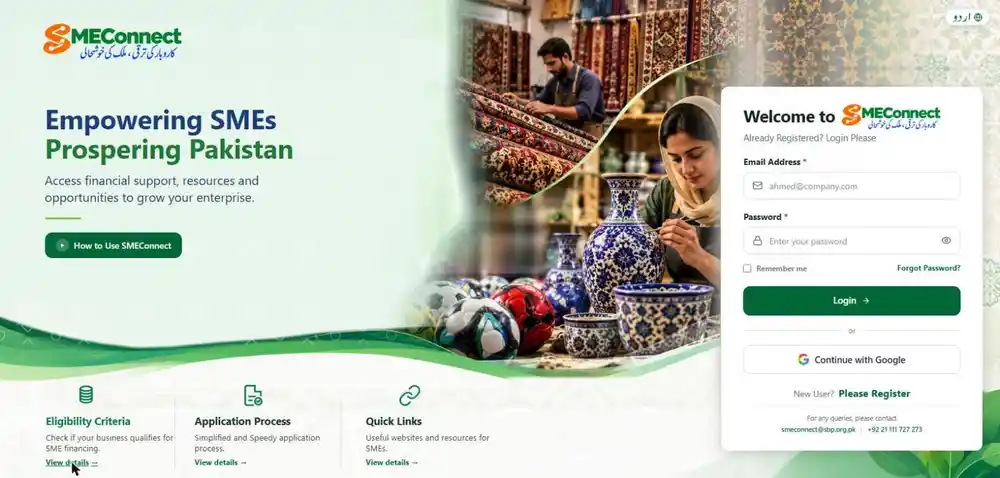
Quick answer: From 1 November 2026 every small business (SME) loan application in Pakistan must go through the State Bank of Pakistan’s new portal SMEConnect: smeconnect.sbp.org.pk. You register with your CNIC, verify your business bank account, fill in business details, choose the financing you want and submit. The bank you pick then reviews it, asks for documents, and you track the status online. It is free: no agent is needed. Submitting does not guarantee approval: the bank decides.
Honest note: the registration screens are behind a sign-up wall, and we did not create an account or enter any data. Eligibility, documents, financing types, the 5-stage process and contacts below were read on the public SMEConnect pages; the detailed form steps (IBAN check, business fields, undertaking) follow ProPakistani’s walkthrough and may look slightly different on screen.
Mandatory from 1 Nov 2026 Free to use English + Urdu Real-time tracking Rejection reasons shown Approval = bank decision
In this guide
What Is SBP SMEConnect? (SME Loan Portal, November 2026)
SMEConnect is the State Bank of Pakistan’s single digital window for SME financing from banks and development finance institutions (DFIs). Reports of 29 October 2026 say:
| Mandatory date | 1 November 2026: all SME financing applications to be received only through SMEConnect; people who go to a branch or bank website are to be redirected to the portal |
| Banks must | Display the SMEConnect link prominently on websites and apps, and train SME staff to help applicants |
| Transparency | Real-time status tracking, and reasons are shown if an application is rejected |
| SBP side | A live dashboard of applications received, processed, approved, disbursed and rejected, per bank and for the industry |
| Languages | English and Urdu (اردو button on the home page) |
| Help | Tutorial video on the portal (“How to Use SMEConnect”), smeconnect@sbp.org.pk, +92 21 111 727 273; complaints via SBP’s Sunwai portal or app |
Who Can Apply: Eligibility (Official Page)
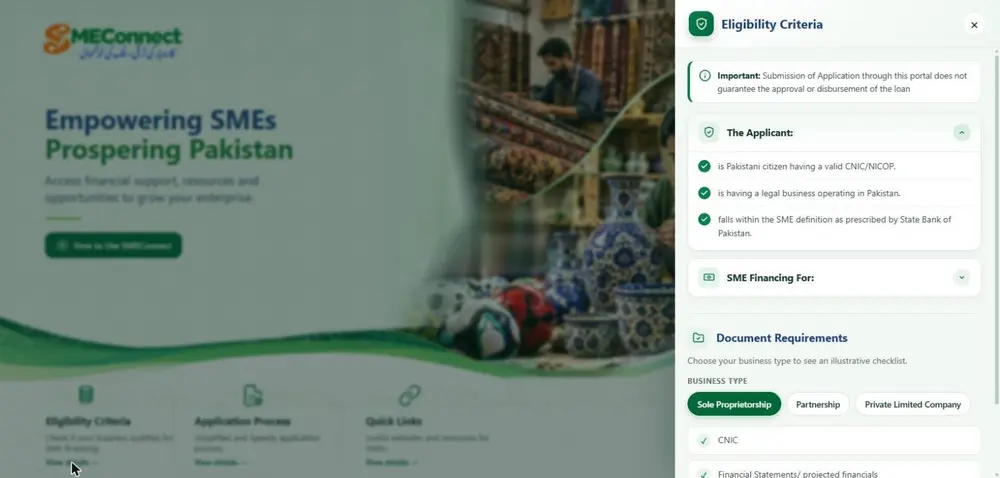
The portal’s own Eligibility Criteria panel says the applicant must:
- be a Pakistani citizen with a valid CNIC / NICOP;
- have a legal business operating in Pakistan;
- fall within the SME definition prescribed by the State Bank of Pakistan.
What counts as an SME? Bloom Pakistan and Pakera report that in July 2026 SBP defined SMEs by annual sales only (start-ups up to 5 years old can fall in these groups). We could not open the SBP circular itself, so check your category with your bank.
| Category | Annual sales (as reported, July 2026) |
| Micro | Up to Rs 30 million |
| Small | Above Rs 30 million up to Rs 400 million |
| Medium | Above Rs 400 million up to Rs 2 billion |
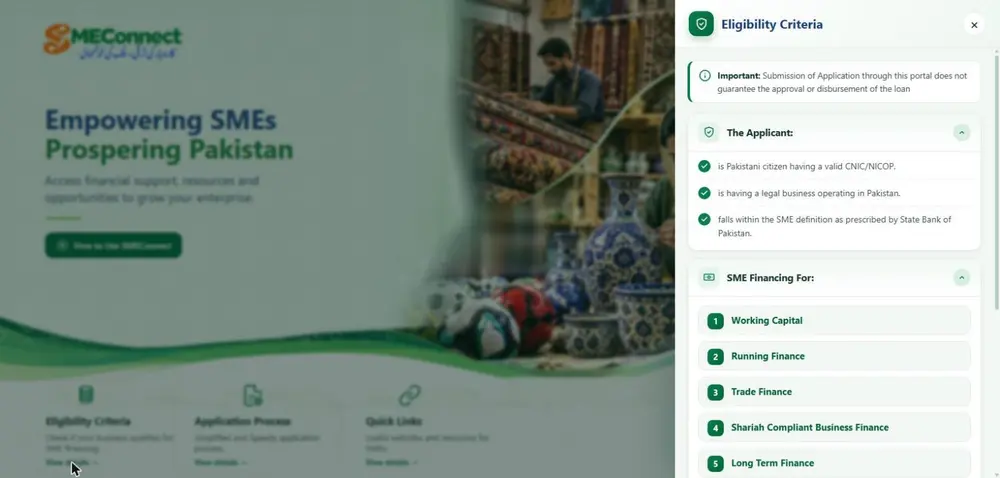
Types of financing you can apply for (official list): Working Capital, Running Finance, Trade Finance, Shariah-Compliant Business Finance and Long Term Finance.
Documents Checklist by Business Type (Official Page)
The portal shows an “illustrative checklist”. The bank may ask for more documents later.
| Business type | Documents listed |
| Sole proprietorship | CNIC; financial statements / projected financials |
| Partnership | CNICs of borrowers; partnership deed; financial statements / projected financial statements; security (if applicable) |
| Private limited company | CNICs of borrowers; Memorandum and Articles of Association; financial statements / projected financial statements; security (if applicable) |
Tip from our side (not official): also keep ready your NTN, business bank account IBAN, recent bank statements, address proof and your annual sales figure: the form asks for NTN, IBAN, address, year established, annual sales and premises. Pakera reports that banks commonly ask for about 12 months of bank statements.
How to Apply for an SME Loan on SMEConnect: Step by Step
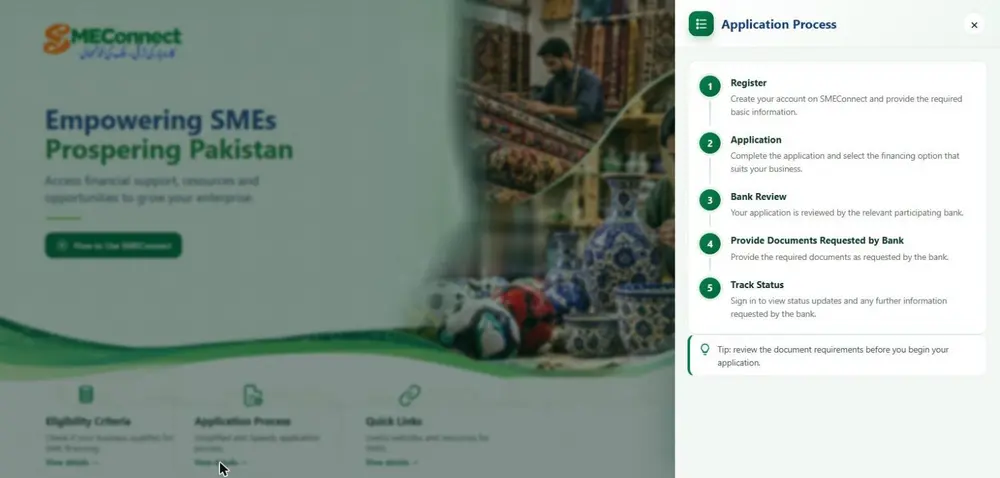
The official page summarises the flow in five stages: Register → Application → Bank Review → Provide Documents Requested by Bank → Track Status.
Open smeconnect.sbp.org.pk, read Eligibility Criteria, then click Please Register. Enter name, mobile number, email, gender, CNIC and a password, accept the terms and confirm the OTP (code) sent to your email or mobile. You can also use Continue with Google.
Enter the IBAN of your business account; the bank name fills in automatically. If you have accounts in several banks, use the bank you want financing from.
Business name, owner CNIC, business email, nature of business, NTN, status, address, year established, annual sales, premises and registration authority. Press Save & Continue and you reach your dashboard (statuses: draft, submitted, under review, approved, rejected, disbursed).
Click Apply for New Financing. It has three stages: business information, financing (mode such as Islamic financing, amount, tenor) and review.
Check everything. Save a draft if you are not ready, or press Submit Application, accept the undertaking (Agree & Submit) and you get a case ID, date, assigned bank and status. Take a screenshot.
Steps 1 to 5 follow ProPakistani’s walkthrough of the live portal (29 Oct 2026); we did not submit anything ourselves.
After You Submit
- The relevant bank reviews your case and may ask for documents: provide them as the bank requests.
- Use Track Application to see status and any further information the bank wants.
- Later logins need your email + password + 6-digit OTP. Lost password: Forgot Password? on the login page.
- If rejected, the portal is meant to show the reason: use it to fix the problem and apply again.
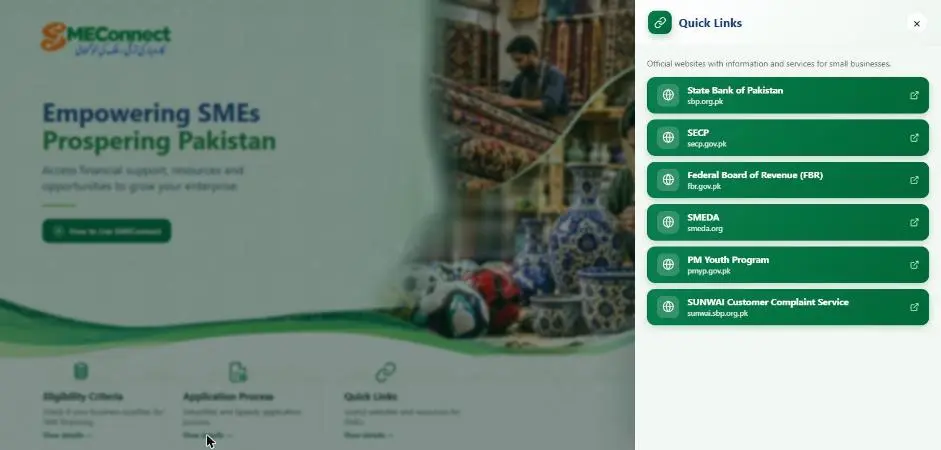
- Problem with a bank or the portal? Email smeconnect@sbp.org.pk, call +92 21 111 727 273, or file a complaint on SBP Sunwai.
Is the Loan Limit Rs 500 Million? (Reading the Numbers Carefully)
ProPakistani writes that SBP raised SME financing limits to “up to Rs 500 million”. Pakera describes it differently, as the total exposure cap (funded plus non-funded facilities such as guarantees and LCs, across banks): Rs 100 million for micro and small, Rs 500 million for medium, with clean (unsecured) lending capped at Rs 50 million per SME. We found no official page proving a single per-loan Rs 500 million ceiling on SMEConnect. Your real limit depends on your category, security and the bank.
What Is Not Confirmed Yet
- Which banks and DFIs are live on the portal, and their rates, fees and loan terms: SBP’s notice and the reports do not list them. Ask for the bank’s Key Fact Statement before accepting any offer.
- What happens to applications you already gave a bank before 1 November.
- How detailed the rejection reasons will be.
- Whether the public can see SBP’s dashboard.
- The exact SBP circular text (we relied on the portal pages and news reports).
Karna / Nahi Karna
Karna:
- Use only smeconnect.sbp.org.pk: check the address before typing your CNIC.
- Prepare IBAN, NTN, CNIC, bank statements and sales figure before you start.
- Pick the bank you already deal with: it knows your account history.
- Save your case ID and screenshots; check the dashboard regularly and answer bank requests fast.
- If a branch says “apply on paper”, tell them SBP says applications go through SMEConnect and ask for the link.
Nahi karna:
- Do not pay any agent, “consultant” or WhatsApp number for SMEConnect: it is a free SBP portal.
- Never share your password or OTP with anyone, including “bank staff” on the phone.
- Do not enter false sales or business data: a bank can reject it.
- Do not assume submission = loan approved. The bank decides.
- Do not use look-alike sites or links sent on social media.
Free tools: Image Resizer | CV Builder | AI Quiz & MCQs | Government Jobs
Join Educativz on WhatsApp: WhatsApp Channel | WhatsApp Group
People also search (Roman Urdu / Urdu): SBP SMEConnect kaise apply karein chota karobar loan online SME loan apply online Pakistan سٹیٹ بینک ایس ایم ای کنیکٹ چھوٹے کاروبار کا قرضہ ایس ایم ای لون آن لائن اپلائی karobari qarz State Bank portal
SBP SMEConnect SME Loan (October / November 2026): FAQs
What is SMEConnect?
SBP’s central digital portal (smeconnect.sbp.org.pk) where SMEs submit financing applications to banks and DFIs. It becomes the only channel from 1 November 2026.
Is SMEConnect free?
It is an SBP service and no fee is mentioned on the official pages. Do not pay anyone to register or apply.
Do I need to visit the bank?
Applications start online. The bank may contact you for documents and its own assessment.
Which documents are needed?
Sole proprietor: CNIC and financial statements. Partnership: CNICs, partnership deed, financial statements, security if applicable. Private limited: CNICs, MOA/AOA, financial statements, security if applicable. The bank can ask for more.
Will my loan be approved if I submit?
No. The portal says submission does not guarantee approval or disbursement; approval depends on the bank’s assessment.
Can I track my application?
Yes: sign in and use Track Application. Status and any bank requests appear there; rejection reasons are meant to be shown.
How do I log in later?
Email and password plus a 6-digit OTP (or Google sign-in as shown on the login page). Use Forgot Password to reset.
Who do I contact for help?
smeconnect@sbp.org.pk or +92 21 111 727 273. For complaints use SBP’s Sunwai portal or app.
What changes on 1 November 2026?
SMEConnect becomes the only way to submit SME financing applications to banks and DFIs.
Disclaimer: Educativz.com is not the State Bank of Pakistan or any bank. We read the public SMEConnect pages and news reports on 29 October 2026; rules and screens can change. Apply only on smeconnect.sbp.org.pk and confirm details with SBP or your bank.